Sudsy: ADHD Cleaning Schedule
One short cleaning checklist a day, sized to the minutes you actually have. The chores that matter most come first; the rest can wait without guilt.
Get it on Google PlayFree for Android. No account. Your plan stays on your phone.
How it works
Tell Sudsy which rooms you have and how much time a normal day allows. It turns that into a gentle cleaning schedule you never have to plan yourself.
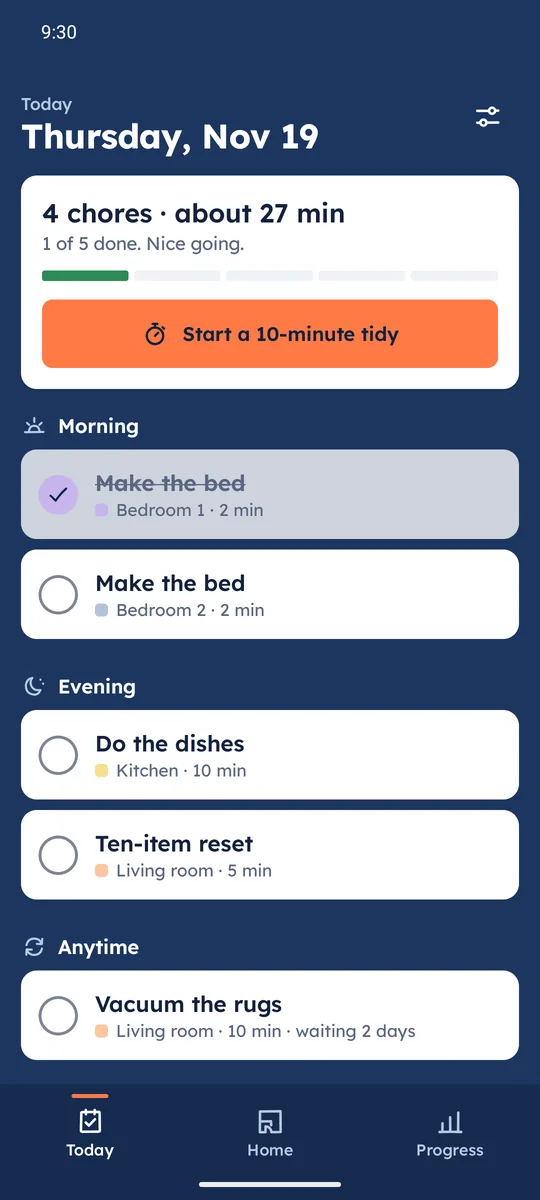
A list that fits your day
Pick 10, 20, 30, 45 or 60 minutes. Every morning Sudsy fills that much, most needed first, grouped into morning, afternoon, evening and anytime. Not today? Move it to tomorrow, skip it, or undo.
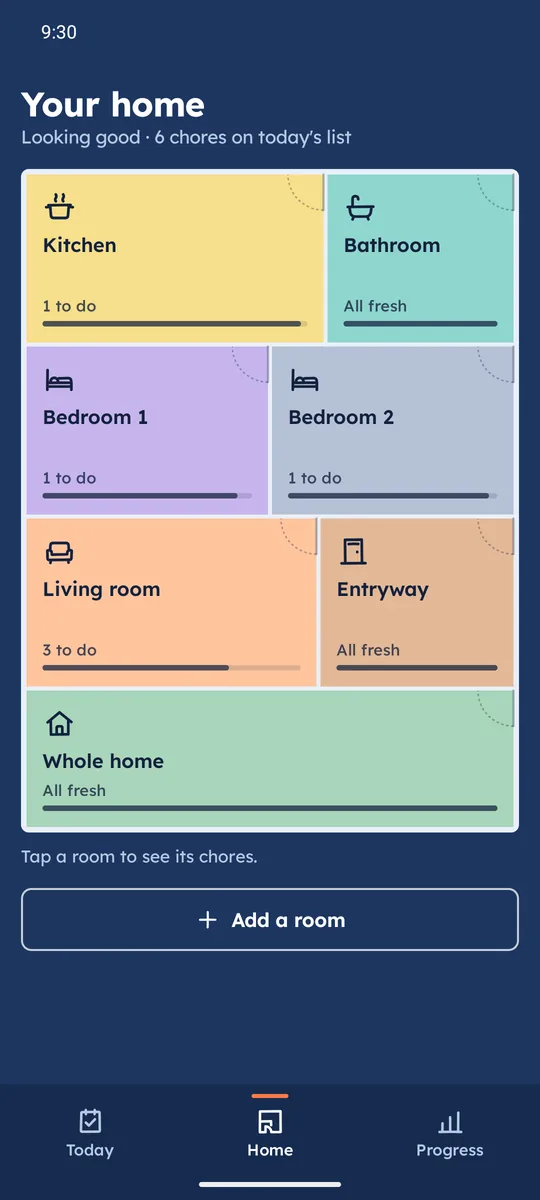
Your home as a floor plan
Each room is a coloured tile with a freshness bar, so you can see at a glance where a little effort goes furthest. Twelve room types come with common chores; add your own with any rhythm from daily to yearly.
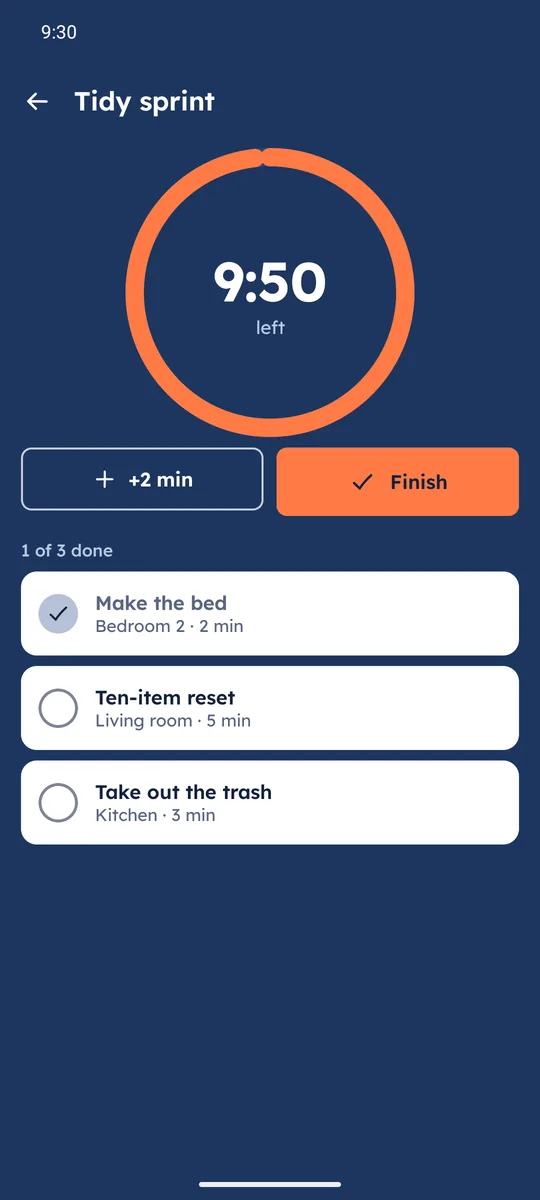
A 10-minute tidy for stuck days
Choose 5, 10, 15 or 20 minutes and Sudsy picks a few chores that fit. A big countdown ring keeps you moving, and the summary counts what you did, even if it was one thing.
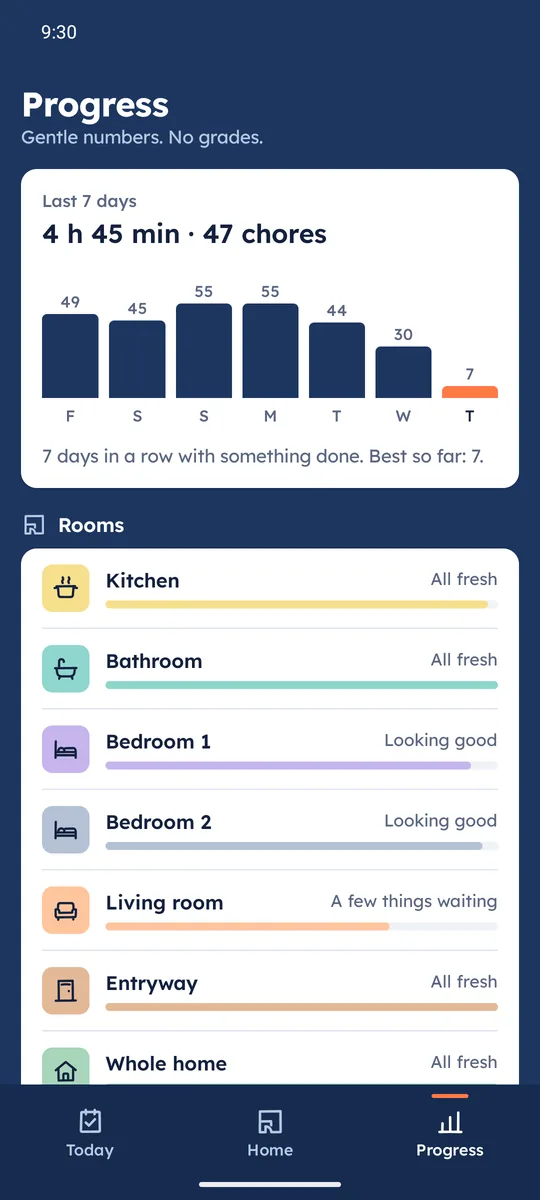
Progress without the guilt
Seven days of minutes and chores, a streak that stays alive until the day ends, and a freshness bar per room. Fell behind after a busy week? Fresh start spreads the backlog over the next days.
One quiet reminder
A single daily nudge at the time you choose, with what is left. It stays silent once you are done. A home screen widget shows the rest of today.
Private by design
No account and no server. Your rooms, chores and history live on your phone; make a backup file whenever you like.
Inside the app
Questions
Is Sudsy free?
Yes. It is free to install and use, and it is paid for by ads: a small banner on the Today, Home and Progress screens, and now and then a full-screen ad after you close a finished tidy or the done-for-today card (never on your first day, at most three a day). You can watch one video to turn ads off for 24 hours.
Do I need an account?
No. There is no account and no sign-up. Your rooms, chores and history stay on your phone.
How does Sudsy decide what is on today's list?
Each chore has a rhythm (every day, every week, every month and so on) and a time estimate. Sudsy puts the chores that are most overdue for their rhythm first and stops when your daily minutes are used. The rest waits under "If you have time".
What if I fall behind?
Nothing turns red. Move a chore to tomorrow, in three days or next week, skip it this time, or use Fresh start to spread everything waiting over the next days. Going on holiday? Away mode pauses the plan until you are back.
Is Sudsy made for ADHD?
It is built for anyone who finds housework hard to start, which includes many people with ADHD: one short list, a time limit you choose, a 10-minute tidy timer and no guilt. Sudsy is a cleaning planner, not a medical product; it does not diagnose or treat ADHD or any other condition.
Can I print a cleaning checklist?
Yes. The printable cleaning checklist lists the same starter chores the app uses, room by room, with how often and how long.
What happens to my data if I change phones?
Make a backup file in Settings and keep it where you like. On the new phone, choose "Restore a backup" on the first screen. Android cloud backup is off for Sudsy, so nothing is copied automatically.
Is there an iPhone version?
No. Sudsy is an Android app.